Lap comparison puts two laps on the same distance axis so you can see where their measured time, speed, line, and available control channels differ.
When to compare
Choose two clean laps that answer a specific question and were recorded in comparable conditions. A best lap can show something you already achieved; another on-pace lap can show whether it was repeatable. Avoid laps with traffic, flags, missed corners, pit entry, or another obvious interruption unless that interruption is what you are studying.
What to look for
Corner-level deltas
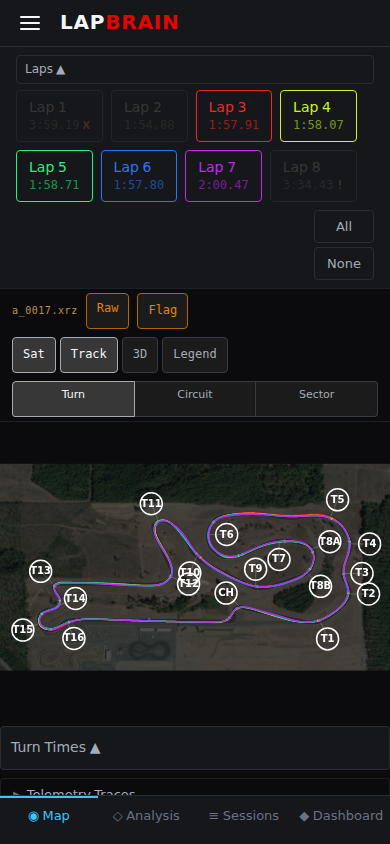
The lap comparison view shows a DeltaDeltaThe time difference between two laps or between a lap and a reference (such as your personal best), measured in seconds gained or lost. for each corner. Larger differences are useful places to inspect, but a gap between two laps is not automatically available time or a recommended target.
A corner with a 0.3-second pairwise difference usually deserves inspection before one with a 0.05-second difference. Check that the laps and measurement windows are comparable before turning that observation into an action.
Phase-level differences
Once you've identified the high-delta corners, look at which Turn phasesTurn phasesFive measurement regions used to locate where something happened in a corner: Entry, Decel, Maintenance, Accel, and Exit. differ between laps:
- Entry speed difference: are you carrying less speed into the corner on slower laps?
- Deceleration difference: where did speed begin falling, and do recorded brake channels show a corresponding input change?
- Exit difference: where did speed begin rising, and do recorded throttle channels and the line trace support an input explanation?
Consistency patterns
Compare Laps compares two laps. To check whether the same pattern holds across several comparable laps, overlay them in the session's Map and Channels views. A repeated difference tells you that the measurements varied; it does not by itself identify the cause or prescribe a technique change.
Reading the line-divergence panel
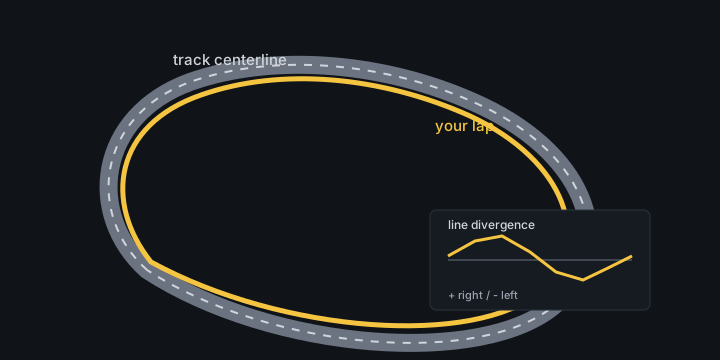
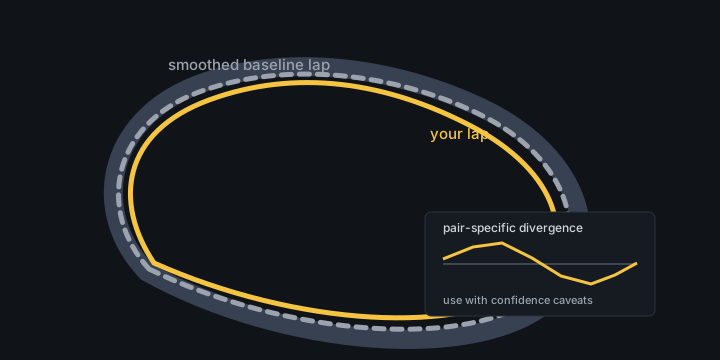
The line-divergence panel shows how far your lap moved left or right from the reference line at each point around the lap. Use it beside cumulative time: when the line moves and the time gap opens in the same range, that section is worth reviewing.
Positive values mean your lap was right of the reference line; negative values mean it was left. Treat small wiggles as noise. Look for sustained wider or tighter patterns through an entry, apex, or exit.
The reference badge tells you which line was used:
- vs track centerline means lateral position is measured from the track centerline.
- vs a smoothed copy of the other lap means the other lap supplies the reference. This shows where the pair diverged, but the result is specific to those two laps.
What to do next
- Pick a material-delta corner and tap into the corner detail to see the phase breakdown.
- Identify where the measured difference appears—entry, maintenance, or exit—and which channels support the observation.
- Use the recommendation in your debrief, after reviewing its cited laps and channels, or choose a rider/coach-approved check that fits the conditions. See Acting on Coaching.