Lap comparison is one of the most powerful tools in LapBrain. By comparing your fastest lap to a slower one, you can see exactly where time is gained and lost — corner by corner, phase by phase.
When to compare
The most useful comparison is between your best lap and a representative lap — not your worst. Your worst lap might have a mistake (missed a corner, went off track) that makes the comparison noisy. Pick a clean lap that's 1–2 seconds off your best.
What to look for
Corner-level deltas
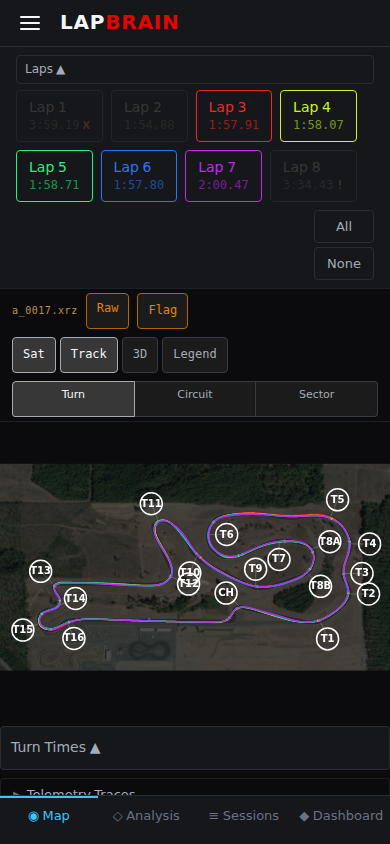
The lap comparison view shows a DeltaDeltaThe time difference between two laps or between a lap and a reference (such as your personal best), measured in seconds gained or lost. for each corner. Look for corners with the biggest time difference — these are where you're leaving the most time.
A corner where you're 0.3 seconds slower on your average lap than your best is a bigger opportunity than a corner where you're 0.05 seconds slower. Focus on the big gaps first.
Phase-level differences
Once you've identified the high-delta corners, look at which Turn phasesTurn phasesThe five stages of every corner: Entry, Decel, Maintenance, Accel, and Exit. Each phase has distinct techniques and metrics. differ between laps:
- Entry speed difference — are you carrying less speed into the corner on slower laps?
- Braking distance difference — are you braking earlier? That's often the single biggest time loss.
- Exit drive difference — are you getting on the throttle later or less aggressively?
Consistency patterns
Compare 3–4 laps, not just two. If your ApexApexThe point in a corner where the bike is closest to the inside edge of the track and typically at the lowest speed. speed varies widely in a specific corner, that's a consistency issue — you're sometimes getting it right and sometimes not. The fix is practice, not technique change.
What to do next
- Pick your biggest-delta corner and tap into the corner detail to see the phase breakdown.
- Identify which phase is causing the time difference — entry, maintenance, or exit.
- Focus your next session on that specific phase in that specific corner. See Acting on Coaching for how to translate this into on-track practice.