LapBrain's coaching recommendations turn session data into one manageable thing to try at the track. Each one should tell you where to look, why it made the list, and what to check next time.
How recommendations work
Each recommendation names the corner or part of the session where the pattern appeared, then shows the laps and channels behind it. LapBrain uses direct brake or throttle language only when your data logger recorded that channel; speed or acceleration cannot fill in a missing control input.
LapBrain weighs how clearly the pattern appeared, the measured time opportunity when one is available, and the relevant session history. The first Focus recommendationFocus recommendationThe corner or riding pattern LapBrain puts forward for you to review next. is the highest current priority in that data.
What a recommendation tells you
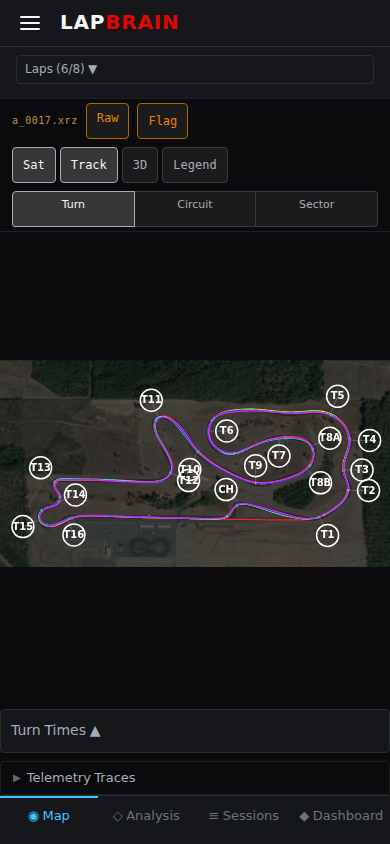
A focus item keeps four useful parts together when the recorded data can provide them:
- Where: which corner (by number and name on the track map)
- Why: the measured comparison and channels behind the finding
- Try: a bounded suggestion that fits those measurements, when the finding supports one
- Check: what a later comparable session can measure
Choose one manageable recommendation at a time, and fit it around conditions and guidance from your coach or organizer. The next comparable session supplies the measurement; you supply the context about what you tried and what else changed.
The briefing-session-debrief loop
The most effective way to use LapBrain follows a three-step loop:
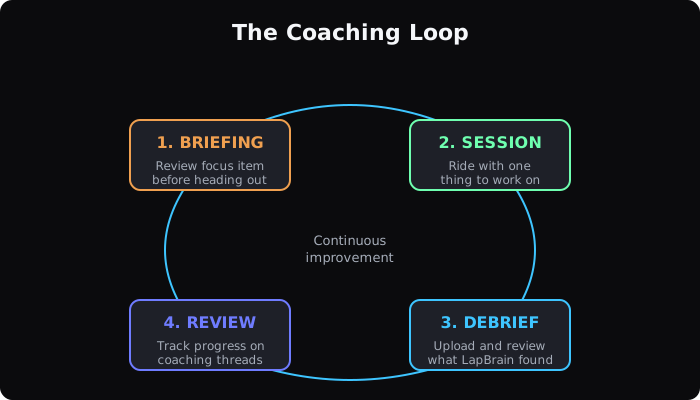
- Brief: before your session, review your focus recommendations. Write down the named area, the measurement to check, and any suggested action.
- Ride: on track, focus only on that one change. Don't try to optimize everything.
- Debrief: after your session, upload and check how the cited measurement changed.
When the same measurements are available in your next comparable session, the debrief shows how they changed. You add the context: whether you tried the recommendation and what else was different that day.
Tracking progress
LapBrain starts a Coaching threadCoaching threadAn issue followed across comparable sessions, such as entry-speed spread at T5 or section-time spread through the esses. when it identifies an issue it tracks across sessions. Comparable sessions extend the thread when LapBrain checks the same issue again. See Comparing Sessions for how cross-session tracking works.
What to do next
- Before your next track day: open your last debrief (menu → Sessions, tap the session, then Debrief) and write down the focus recommendation: corner number, technique, and what to change.
- At the track: remind yourself of that one focus before each session.
- After: upload while the session is fresh in your memory. The debrief is easier to act on when you still remember how the session felt.